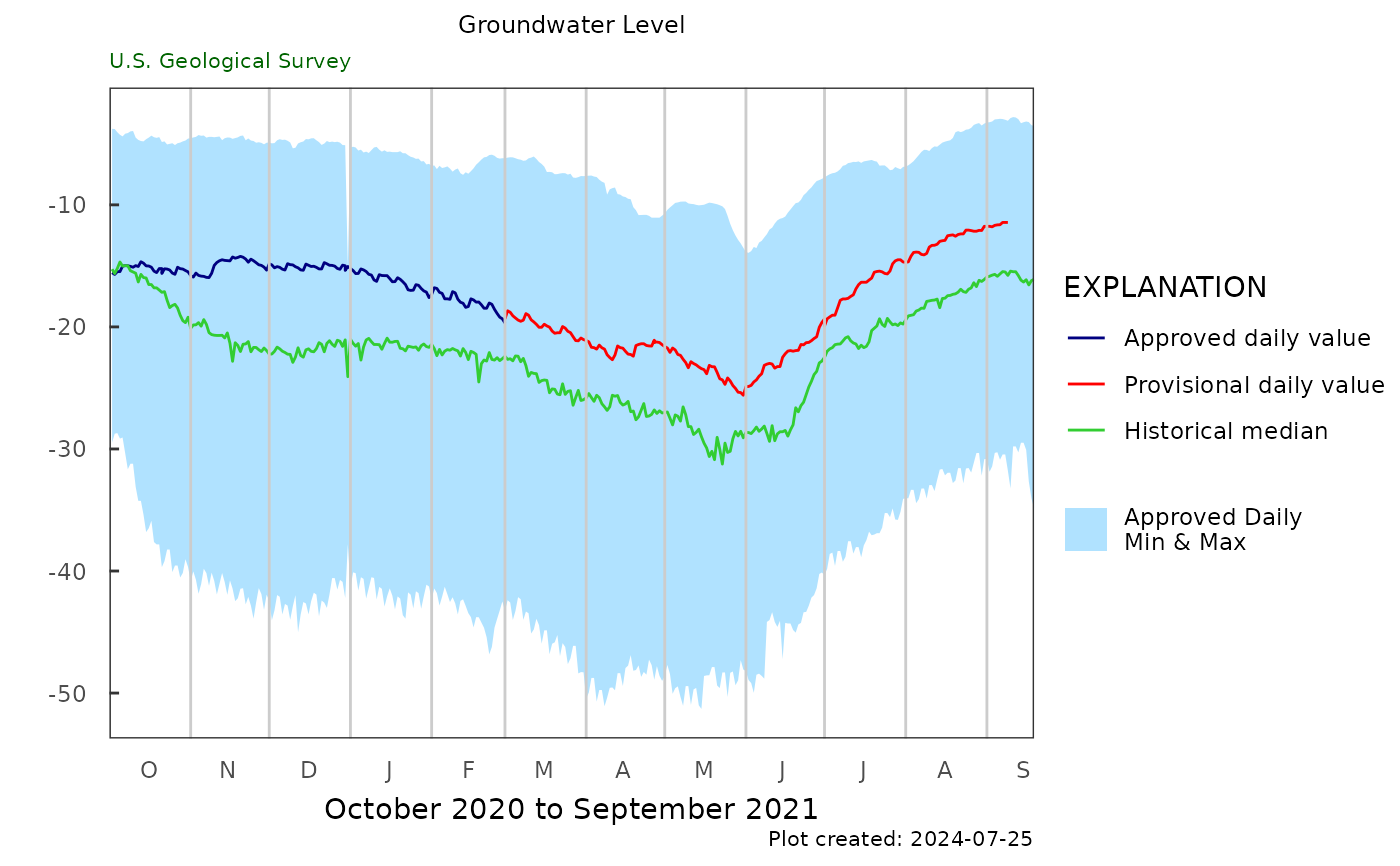
Plot daily data
daily_gwl_plot.RdCalculates daily statistics based on all approved data. Daily, discrete, or both types are included. Historic median or mean are plotted based on all of the approved data.
Usage
daily_gwl_plot(
  gw_level_dv,
  gwl_data,
  parameter_cd = NA,
  date_col = c("time", "time"),
  value_col = c("value", "value"),
  approved_col = c("approval_status", "approval_status"),
  historical_stat = "mean",
  month_breaks = TRUE,
  plot_title = "",
  plot_range = "Past year",
  subtitle = "U.S. Geological Survey",
  y_axis_label = "",
  flip = FALSE
)
Arguments
- gw_level_dv
data frame, daily groundwater level data. Often obtained from
read_waterdata_daily. UseNULLfor no daily data.- gwl_data
data frame returned from
read_waterdata_field_measurements, or data frame with a date, value, and approval columns. UseNULLfor no discrete data.- parameter_cd
Can be used to filter data if the data frame has a "parameter_code" column. The default is
NA, which will not do any filtering. If the gwl_data and gw_level_dv need different parameter code filtering, use a vector of 2 parameter codes. The first one will filter the gw_level_dv data frame, the second will filter the gwl_data data frame.- date_col
the name of the time columns. The first value is associated with the gw_level_dv input, and the second value is associated with the gwl_data input. The default is
c("time", "time").- value_col
the name of the value columns. The first value is associated with the gw_level_dv input, and the second value is associated with the gwl_data input. The default is
c("value", "value").- approved_col
the name of the column to get provisional/approved status. The first value is associated with the gw_level_dv input, and the second value is associated with the gwl_data input. The default is
c("approval_status", "approval_status"). It is expected that these columns will have only "Approved" or "Provisional".- historical_stat
the summary statistic to use for middle line of the plot. Either "mean" or "median."
- month_breaks
a logical indicating whether to use monthly breaks for the plot
- plot_title
the title to use on the plot
- plot_range
the time frame to use for the plot. Use "Past year" (default) to see the last year of data, or "Calendar year" to use the current calendar year, beginning in January. Or specify two dates representing the start and end of the plot. If the first date is NA, it will start at the earliest record, if the second date is NA, it will end at the latest record.
- subtitle
character. Sub-title for plot, default is "U.S. Geological Survey".
- y_axis_label
the label used for the y-axis of the plot.
- flip
logical. If
TRUE, flips labels so that the lower numbers are in the higher percentages. Default isTRUE.
Examples
site <- "USGS-263819081585801"
p_code_dv <- "62610"
statCd <- "00001"
# gw_level_dv <- dataRetrieval::read_waterdata_daily(monitoring_location_id = site,
# parameter_code = p_code_dv,
# statistic_id = statCd)
gw_level_dv <- L2701_example_data$Daily
# gwl_data <- dataRetrieval::read_waterdata_field_measurements(monitoring_location_id = site)
gwl_data <- L2701_example_data$Discrete
daily_gwl_plot(gw_level_dv,
NULL,
plot_title = "Groundwater Level",
historical_stat = "median")
 daily_gwl_plot(gw_level_dv,
gwl_data,
parameter_cd = "62610",
plot_title = "Groundwater Level",
historical_stat = "median")
daily_gwl_plot(gw_level_dv,
gwl_data,
parameter_cd = "62610",
plot_title = "Groundwater Level",
historical_stat = "median")
 daily_gwl_plot(gw_level_dv,
gwl_data,
parameter_cd = "62610",
plot_title = "Groundwater Level",
month_breaks = TRUE,
plot_range = c("2020-10-01", "2021-06-01"),
historical_stat = "median")
daily_gwl_plot(gw_level_dv,
gwl_data,
parameter_cd = "62610",
plot_title = "Groundwater Level",
month_breaks = TRUE,
plot_range = c("2020-10-01", "2021-06-01"),
historical_stat = "median")